Linux & Shell Operations
Essential operational runbook for Linux shell workflows, terminal multiplexing, cryptographic operations, networking diagnostics, and API testing.
Terminal Multiplexing (Tmux)
Navigate scrollback buffers and copy terminal output in tmux:
Ctrl-b [: Enter scroll/copy mode.- Use standard Vim motion keys (
h,j,k,l,Ctrl-u,Ctrl-d) to scroll through history. Space: Begin text selection.Enter: Copy selection to tmux clipboard buffer.q: Exit scroll/copy mode and return to prompt.
Cryptography & Key Management
Ed25519 SSH Keypair Generation
Generate high-security Ed25519 SSH keys with explicit comments and path specifications:
ssh-keygen -t ed25519 -C "przemek@sagalo.pro" -f ~/.ssh/id_ed25519_customBinary MD5 Digest (Base64 Encoded)
Calculate the base64-encoded binary MD5 hash of a file (frequently used for AWS S3 Content-MD5 integrity checks):
openssl dgst -md5 -binary filename.tar.gz | openssl base64Networking & Filesystem Tools
CIDR Subnet Calculation (ipcalc)
Calculate network boundaries, broadcast addresses, and usable host counts from CIDR notation:
ipcalc 192.168.1.0/24Directory Tree Visualization
Display directory hierarchies in a tree structure:
# Display 2 levels deep including hidden directories
tree -L 2 -a

# Ignore specific build/cache directories
tree -I ".git|node_modules|__pycache__|.venv"
Stream Editing (sed)
Quick regex-based stream replacement:
# In-place substitution
sed -i 's/search_pattern/replacement_text/g' path/to/file.txt
Note
For a visual deep dive into stream editing patterns, see this Visual Guide to sed.
API Testing & Token Authentication (cURL)
1. OAuth2 Client Credentials Flow
Retrieve an OAuth2 bearer access token from a secure token endpoint using client credentials:
curl --location --request POST "https://auth.example.com/oauth2/token" \
  --header "Content-Type: application/x-www-form-urlencoded" \
  --data-urlencode "grant_type=client_credentials" \
  --data-urlencode "client_id=<CLIENT_ID>" \
  --data-urlencode "client_secret=<CLIENT_SECRET>"
2. Authenticated API Request
Invoke a REST endpoint using the retrieved Bearer token:
curl --request GET "https://api.example.com/prod/resource" \
  --header "Authorization: Bearer <ACCESS_TOKEN>" \
  --header "Accept: application/json"
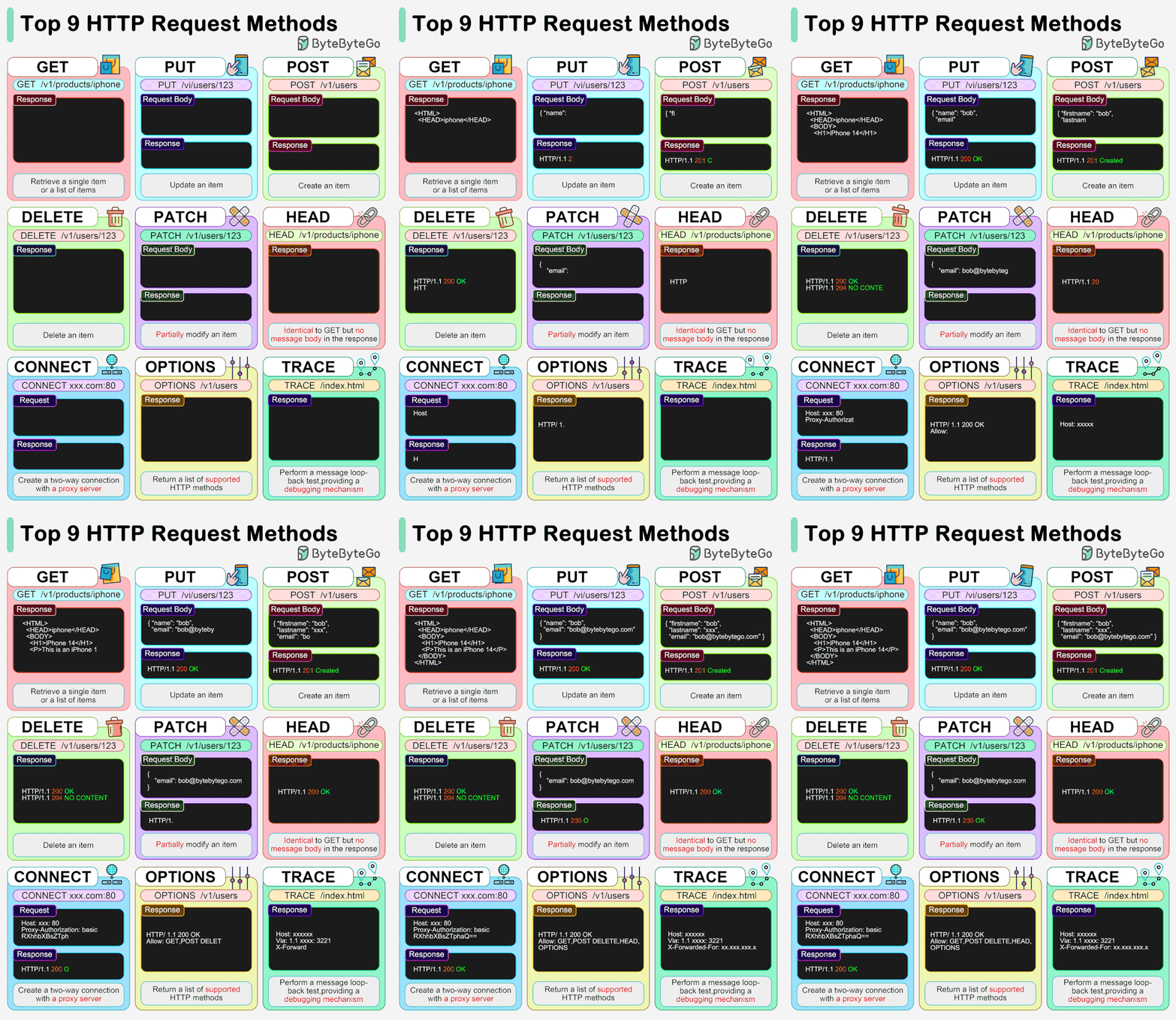
HTTP Request Types & Idempotency
Understanding standard HTTP verb semantics and idempotency guarantees: